
Meeting notes your team can review
We’re developing a service for recording conversations and meetings, checking meeting notes against the transcript and audio, and sharing them with your team.

Focus on the conversation.
Review the record afterwards.
The planned workflow starts with recording, without requiring a title or participants first.
01Record
Recording42:12Discuss the scope of the pilot.
Decide whether to expand after reviewing the results.
02Save and organize
Turning the conversation
into meeting notesYour recording is saved.
Notes keep processing when you return to the list.- Recording saved
- Done
- Meeting notes
- In progress
03Meeting notes
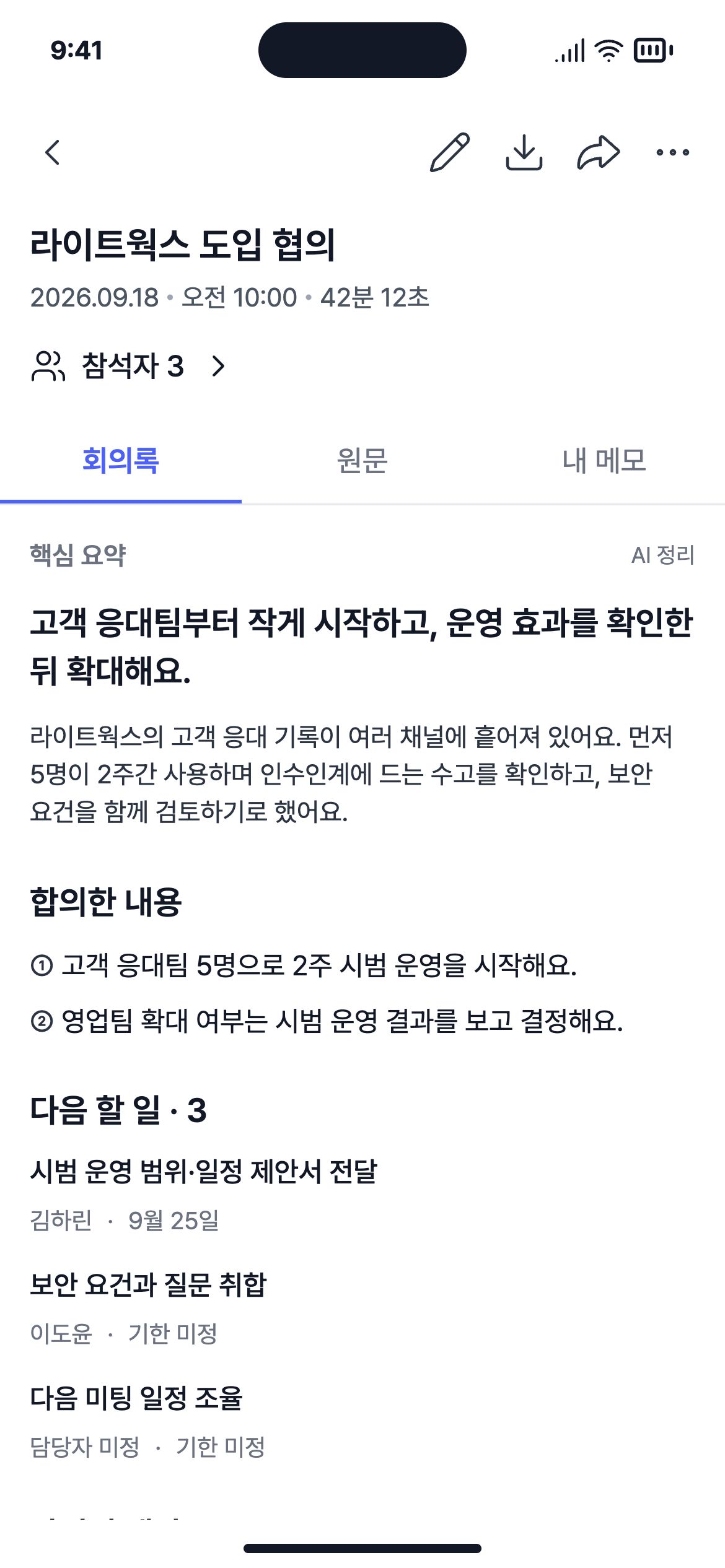
Lightworks service discussion
- Proposed
- A two-week pilot for five people
- Agreed action
- Send a proposal defining the pilot scope · Harin Kim
- Still open
- Whether and when to start, and whether to expand
Planned workflow for a service in development. Screens and conversation are illustrative.
Check the notes
against what was said
We’re designing a workflow that organizes meeting notes into summaries, decisions, action items and agenda topics, with the transcript and audio available for review and corrections.
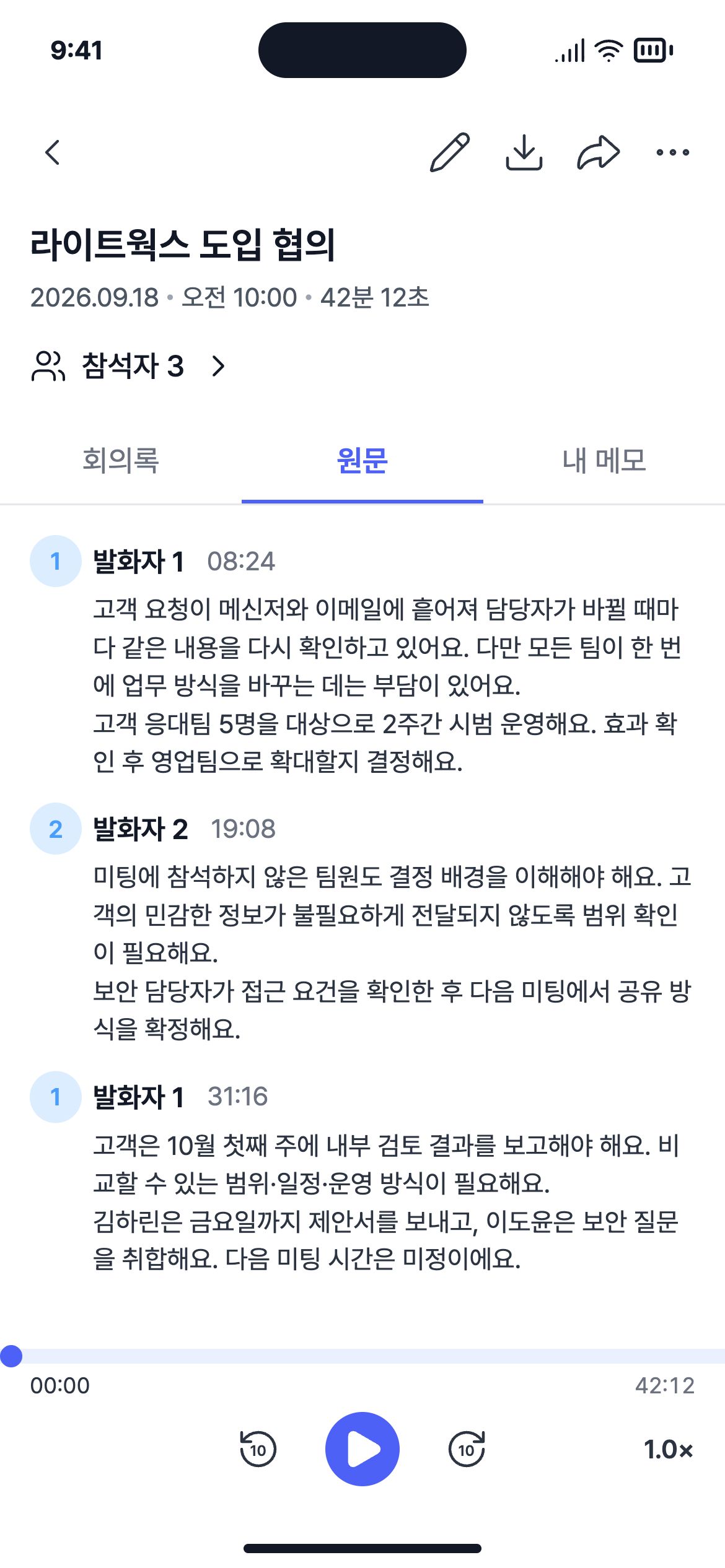
Choose who said what
Names are not linked automatically. Identify only the speakers you need.
- 01
Save a contact
Check and correct the details from a business-card photo, or enter them yourself.
- 02
Add a participant
Add the contact to this meeting, even after it ends.
- 03
Link a speaker
Check the voice and context, then select the participant who spoke.
Pass the notes
to the people who need them
The planned sharing workflow uses a mail app or a link, with recipients able to read the notes without signing up.
What can someone see through a shared link?
The sharing design specifies the following. Only the saved meeting notes. Transcripts, recordings, personal memos and detailed contact information are not exposed. You can turn off link sharing at any time.
Do edits appear in shared copies?
The planned design shows the latest notes when you reopen or refresh the link after saving changes. Already open pages and previously sent emails do not update automatically.